Admin interface
- synopsis:
Django admin interface to manage cronjobs.
Once installed, dx-job-controller is available in the Django admin interface panel with two accessible classes:
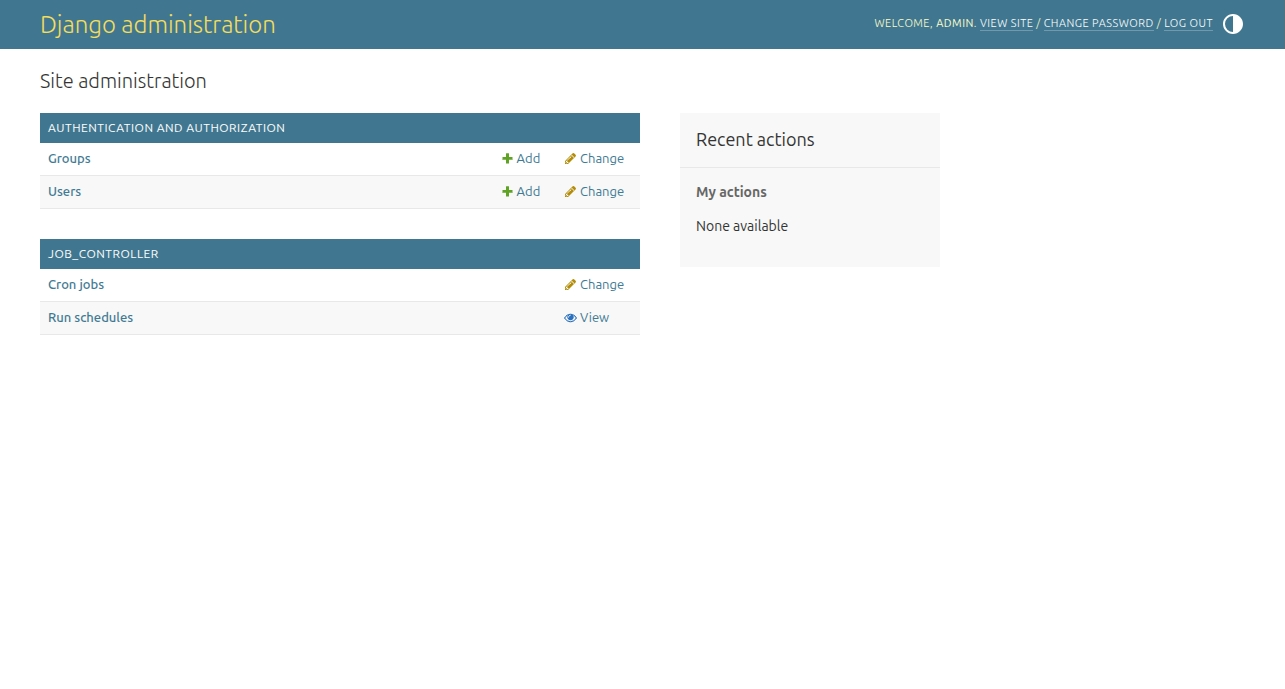
Cronjobs
The Cronjobs class allows you to view and manage all existing jobs in
the system:
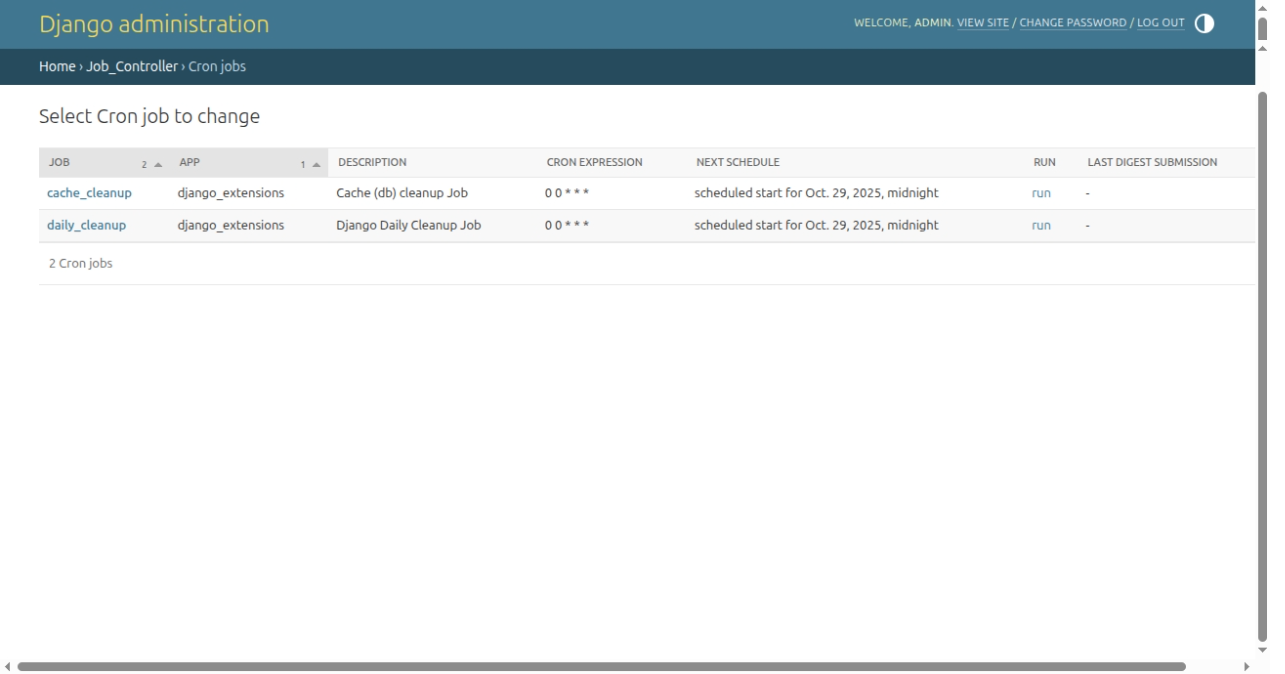
The run column in the listview allows you to run the job immediately.
In the change form of Cronjobs is possible to configure the execution of the job (see: Managing jobs):
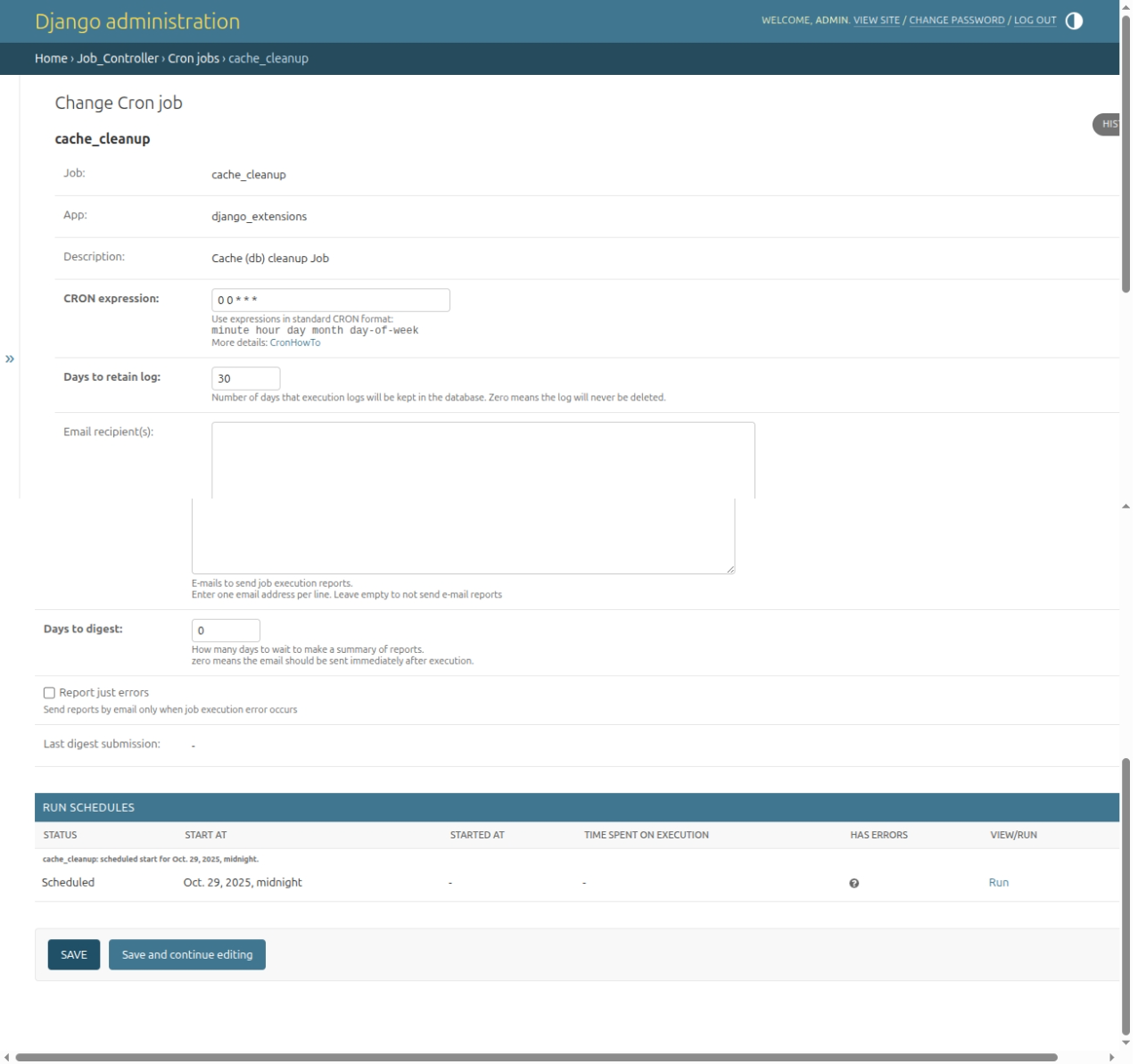
The list of job schedules is displayed as a TabularInline. The view/run column provides the oportunity to run (if job schedule is in Scheduled status) or view details of scheduled execution.
Schedules
The Run schedules listview lists all scheduled job executions. You can filter by status (scheduled, running, finished) and by cronjob:
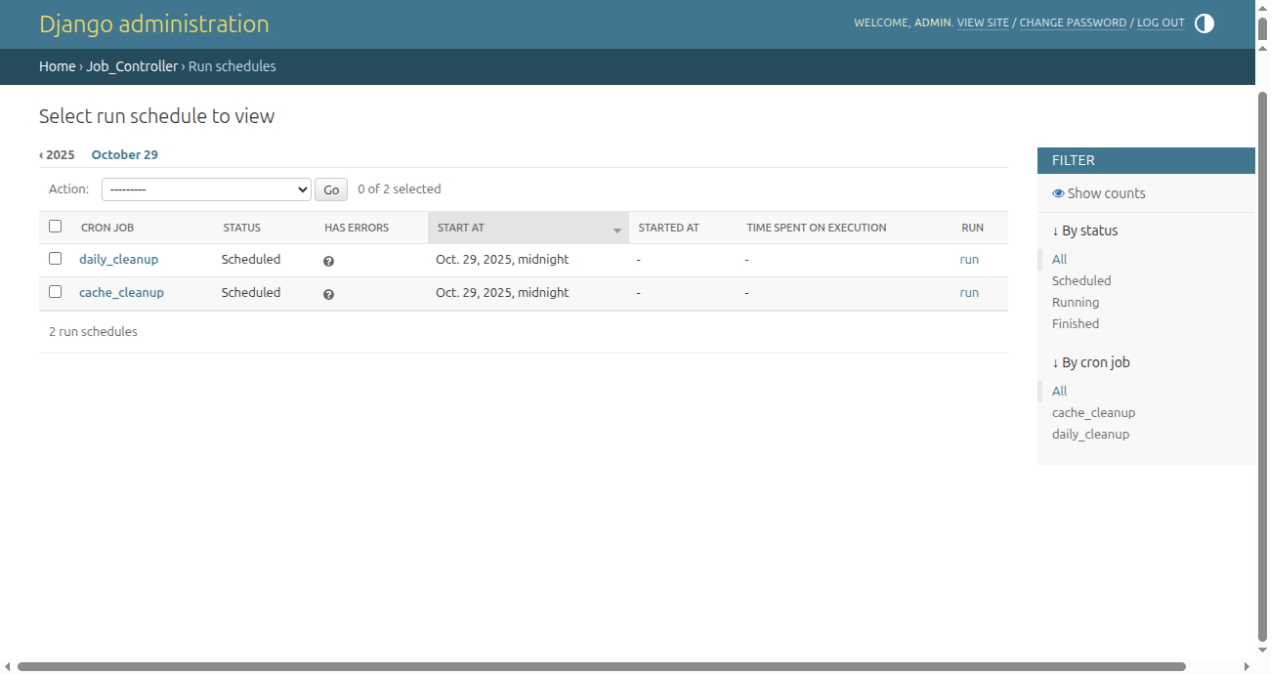
It also has a run column to immediately run the scheduled job.
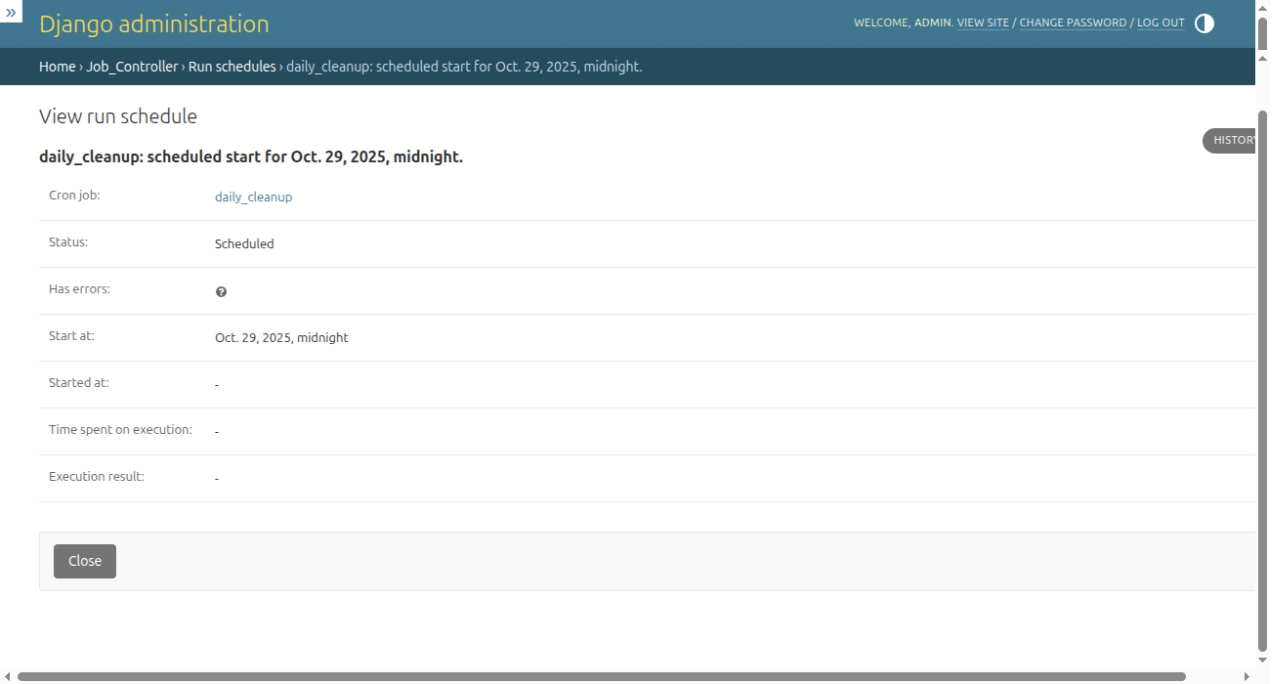
The schedules View form displays details of execution: